Final Project Idea
For my final project for Interface Lab, I’m working on a (mostly) entirely physical piece. I am going to suspend an 8” subwoofer from elastic bands inside of a metal cage. On the sides of the cage, I will mount two ToF sensors; one that controls the volume of sound, and the other that controls frequency. I may instead make both sensors control frequencies so the woofer will play “beating” tones that phase with one another. It may also be interesting to play sounds aside from pure sine tones.
There will be no baffling surrounding the driver, so the sound produced by the speaker will be extremely weak, as there is no separation between the front and back of the driver. This allows the waves that the transducer generates to cancel each other out in phase.
The speaker’s operation will be dangerous to its structural integrity, as operation without a baffle can result in the speaker “bottoming out” faster than it would in a closed or vented box behind it. My goal is to force the speaker to create sounds other than what are being electrically sent over audio cables.
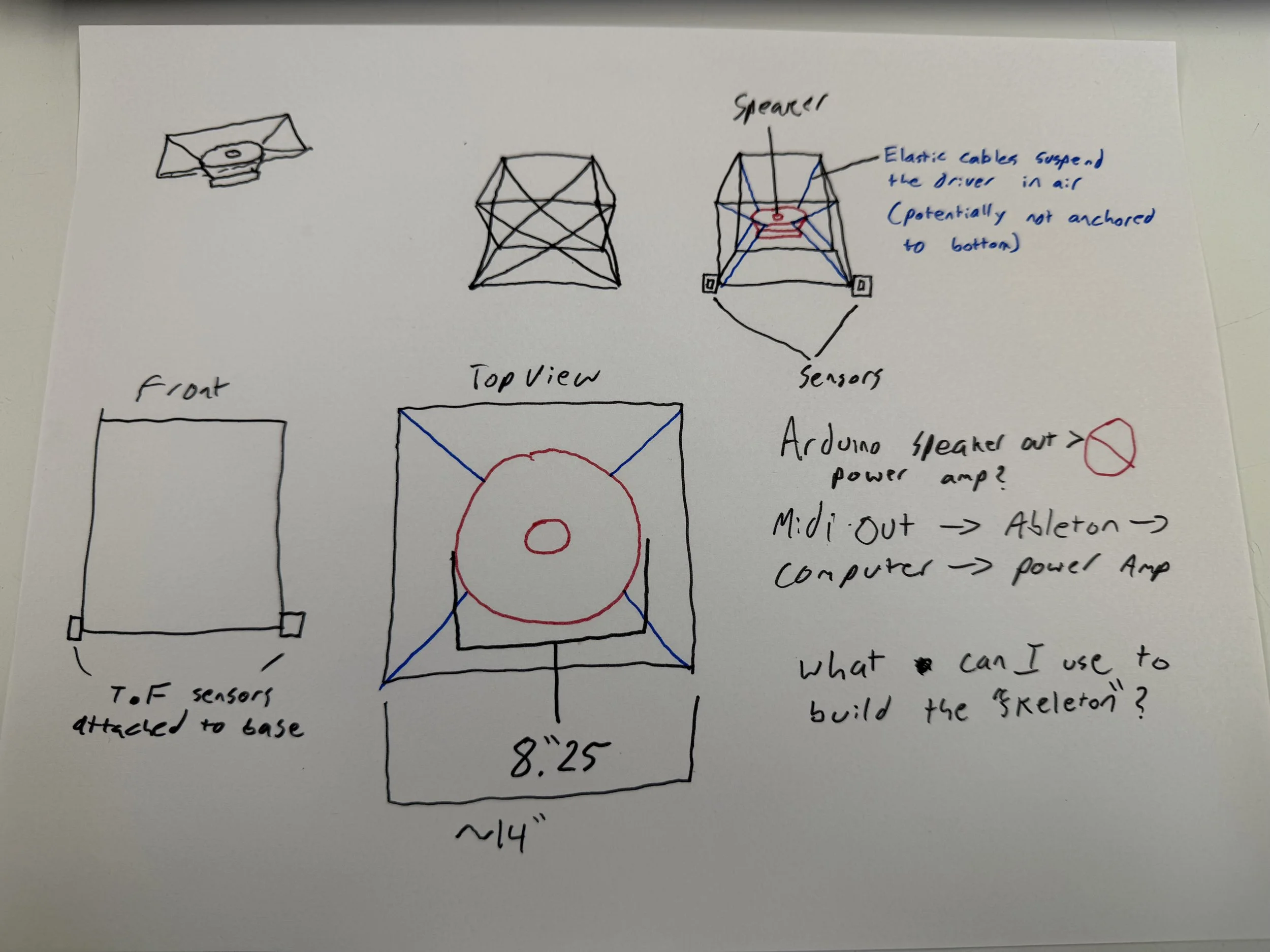
Early project ideation
In the speaker community, very little documentation about “free air” speakers exists; this is because there are virtually no conventional woofer speakers that are designed for free air. The concept of a free air driver is the direct opposite of an Infinite Baffle enclosure, where the front and back of the speaker are in completely separate free air environments (ex: a speaker mounted inside a large wall).
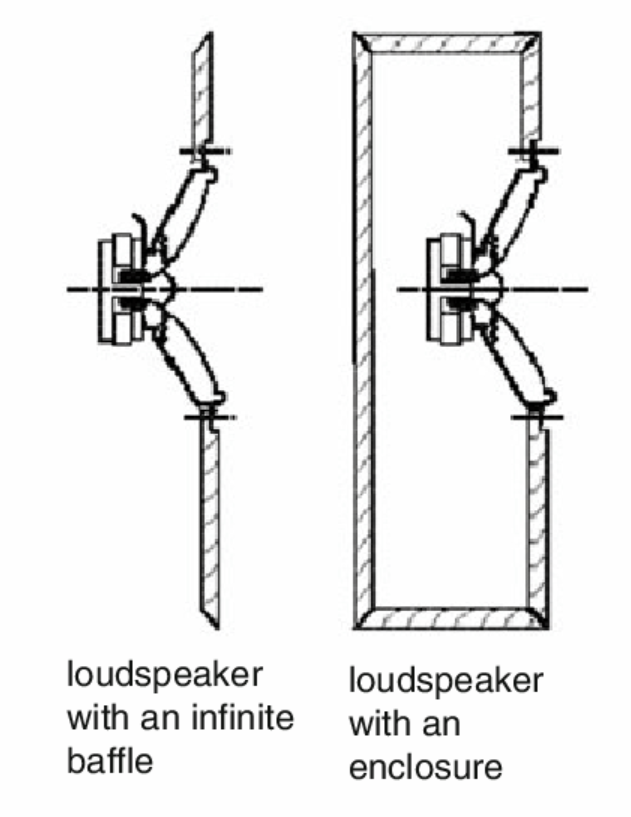
Infinite baffle vs. enclosure
Source: ResearchGate
Materials List
Slotted right-angled steel fencepost (48”)
3/8” nuts and bolts
8 bungee cords
8” 4 Ohm subwoofer
Power amplifier
Arduino
2 Time of Flight sensors
Laptop running Ableton Live and Arduino IDE
Where I’d like to go from here
Cut the metal to create a cube
Mount the ToF sensors on the sides of the metal cube facing the user
Potentially 3D print sensor holders
3D print an enclosure for my breadboard
Write an Arduino script that outputs MIDI data from sensor data
Create an Ableton project that can generate tones based on MIDI input
Connect laptop audio out to a power amp that is connected to the speaker