Project 1 - Your Lucky Numbers
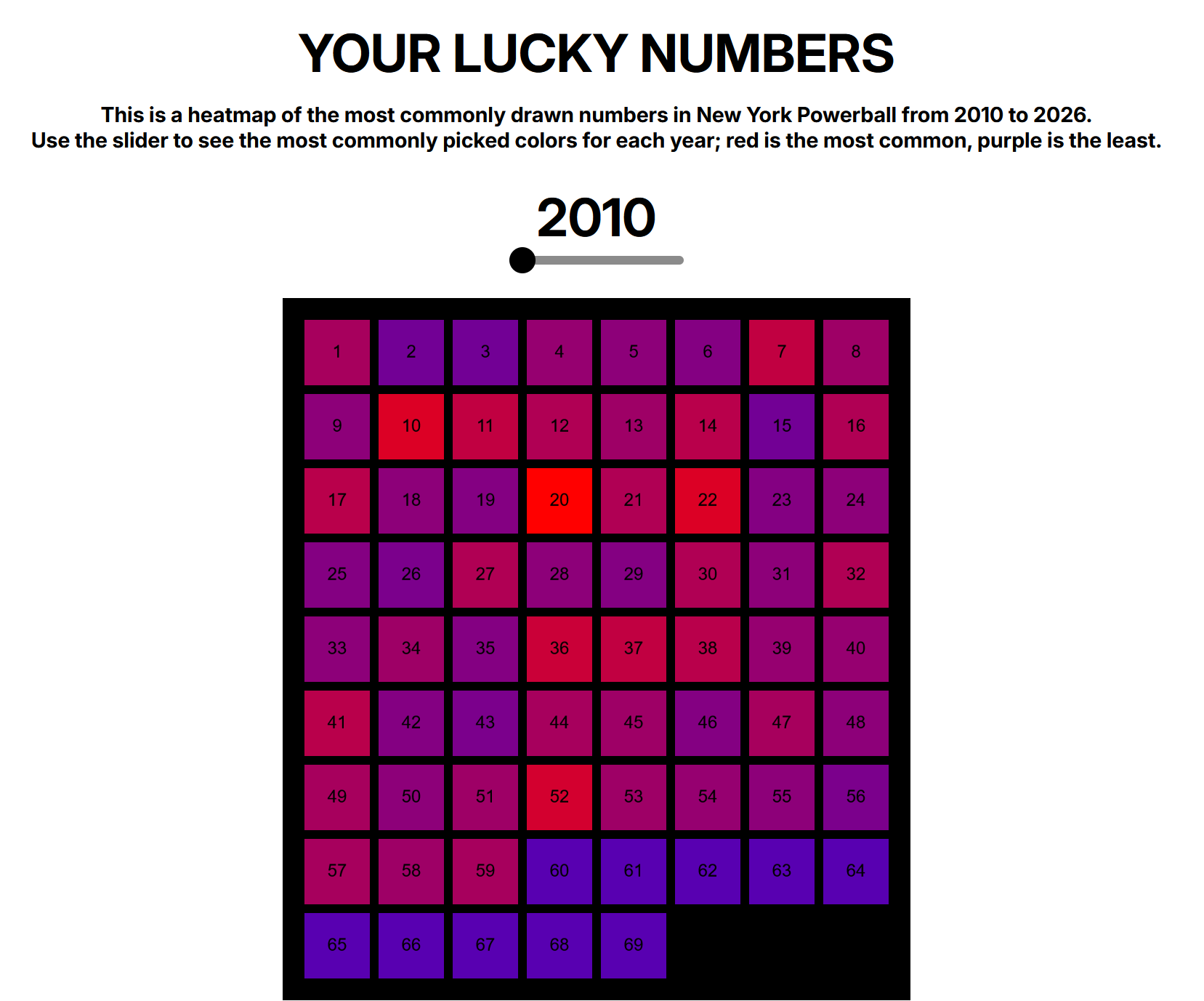
For project 1, I created a heatmap of the most commonly picked New York Powerball numbers from 2010-2026. I downloaded a JSON file of the data from data.gov and imported it into my project.
The demo is available here, and the repo is available here.
My working title for the project was “Get Lucky” but that felt kind of meaningless, so I changed it to “YOUR LUCKY NUMBERS” because I thought it would be funny if someone actually decided to pick their Powerball numbers using my website.
Inspiration
I came across the Powerball data while I was just aimlessly scrolling data.gov. It reminded me of my professor Beth Fileti’s project False Hopes, where she collected images of discarded lottery tickets that she found on the street, which is really interesting to me.
I was initially thinking of doing something with a bit more social substance (i.e. police or prison records) but I’ve just been in a place recently where I felt like doing something a bit lighter in nature that could still be thought-provoking.
Outcome
I finished the project with pretty much exactly what I was going for. One night, when I was working on the project very late, I kinda zoned out while looking at the numbers, and I just dragged the slider back and forth. I let my eyes unfocus as I observed the patterns in colors. Ashton mentioned that this could be really cool as stained glass, and I agree.
The Code
My Javascript code actually ended up being a bit shorter than I expected it to be for this project. I learned a lot of new methods that I previously didn’t know about. The biggest challenges were importing the data from the json file and parsing it.
The most interesting part of the code to me was generating colors from the values of the appearances of numbers, where I made a ratio that I could use to “lerp” between two colors for each square.
let highestCount = Math.max(...Object.values(counts)); // check for highest value

    let purple = color("#5800b1");
    let red = color("#ff0000");

    for (let number = 1; number <= 69; number++) {
        let amount;

        if (highestCount === 0) {
            amount = 0;
        } else {
            amount = counts[number] / highestCount; // create a ratio for color gradient
        }

        let squareColor = lerpColor(purple, red, amount); // lerping
        setSquareColor(number, squareColor);
    }
Credits/AI Acknowledgement/Reflection
To complete this project, I had to learn a lot of new elements of Javascript. I consulted my friend, Tristan Yeager, who has experience with Javascript. He graciously helped me troubleshoot a couple issues with linking my script to my project.
I also used ChatGPT to help me figure out how to parse my data using .split, .splice, and .map. This was my last option, as I was first looking for answers in the class videos, Coding Train, MDN, and Stack Overflow, but I wasn’t successfully finding what I needed to do. I essentially used ChatGPT as a search engine for figuring out smaller bits of code without allowing it to write too much for me. After asking for specific methods, I made sure that it also gave me an appropriate explanation of what it was doing so that I could learn from it. After this process, I actually feel like I learned some very valuable methods in a way that will stick with me.
VSCode would also frequently suggest entire lines of code based on what I started typing. At times, it nailed exactly what I was trying to do, but the feature could also get rather annoying sometimes. When it did suggest a new function that I was previously unfamiliar with, I would either look it up on Google or through ChatGPT to explain the function, and then I would determine if I should keep the suggestion or not.
In the future, I will probably avoid taking on a project where I have to learn almost everything that I am using in the code, and instead opt for things that I will be able to code while having a deeper understanding of what I am writing. This will allow me to comfortably learn new things without searching for answers on nearly each new line of code. That being said, this was a great learning experience, and I feel much more comfortable using Javascript. And you only learn by doing.